IPTV Support Phone Numbers: Reach Help Fast During Trial 2026
September 7, 2026 · 7 min read
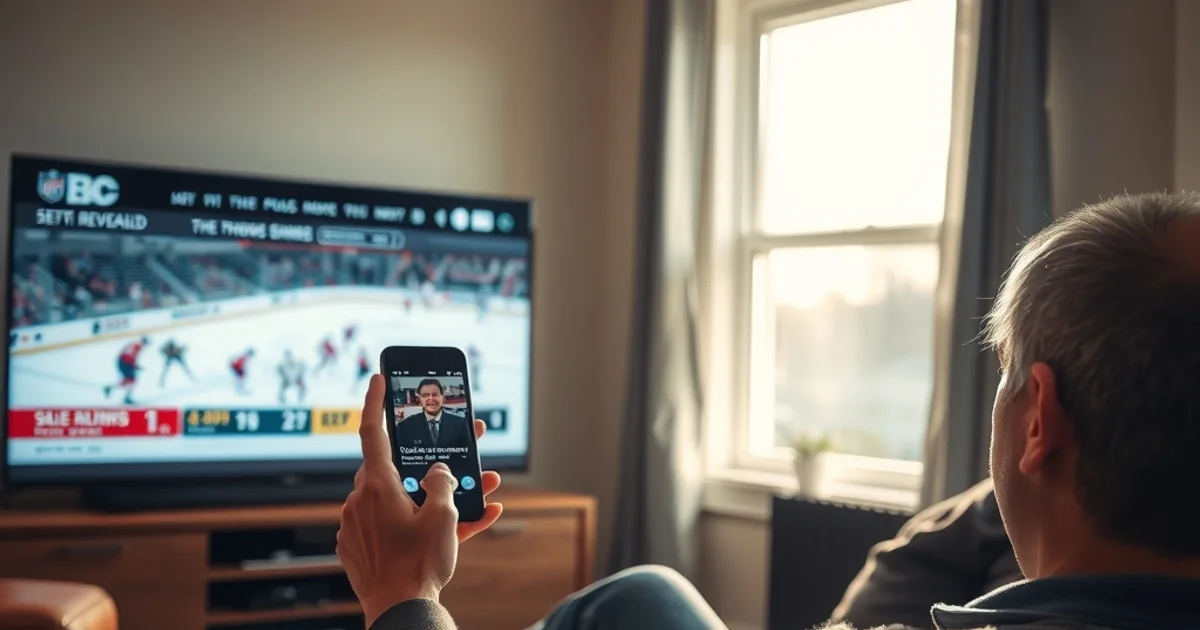
Your trial account works fine on Tuesday. Then Saturday afternoon comes, you fire up the app before puck drop, and it hangs on a loading screen. You have two hours. The provider's website lists a phone number, a WhatsApp icon, and a support email — but nobody tells you which one actually gets a human being to look at your problem before the game starts.
That gap is the point of this guide. Canadian IPTV providers all publish some form of contact information, but almost none of them explain how those channels behave differently: what each one is actually good for, what slows a phone call down, why some issues get solved over WhatsApp in minutes while others sit in an email queue for a day, and — critically — what you should have ready before you reach out so the first message you send is the one that gets you unblocked.
NHL 2026-27 opens Tuesday, September 29 — about three weeks from now — and trial signups always spike in the run-up to opening night as people test streaming providers against live hockey before committing. New trial accounts are also where technical snags cluster: first-time app installs, unfamiliar remotes, Wi-Fi that's fine for browsing but not for a live 4K stream. On top of that, a July 2026 court order blocking 13 pirate streaming services pushed some users to look for a new provider on short notice, which means more people than usual are testing a trial for the first time this month. This guide is for the moment the stream breaks and the clock is running.
Trial Starts, Game's in 2 Hours, App Won't Load—Now What?
The instinct is to try everything at once: restart the app, restart the router, uninstall and reinstall, message support, refresh the browser, try a different device. That scattershot approach wastes the exact resource you're short on — time. The better sequence is: isolate what actually changed (new device? new network? first time using this app version?), try the one or two fixes that match that cause, and if it's not solved in five minutes, contact support immediately rather than continuing to troubleshoot alone.
The reason this matters specifically during a trial is that you don't yet have a relationship with the provider or a support history they can reference. You're a new account with an unfamiliar setup, which is exactly the profile that benefits most from having your information organized before you make contact — covered in detail further down.
If the issue is playback quality rather than the app failing to load at all, it's worth ruling out your own connection first. Buffering that starts specifically during high-traffic evening windows often points to ISP-side congestion rather than the provider — our guide on detecting ISP throttling during peak hours (/blog/detect-isp-throttling-iptv-free-trial-canada-peak-hours) walks through how to tell the difference in under five minutes, which also tells you whether contacting support will even help.
Wondering which support channel actually gets you help the fastest?
The Truth About IPTV Support Response Times (Phone vs. WhatsApp vs. Email)
Every contact method has a structural reason for being fast or slow, independent of how good the support team is. Phone support requires a live agent to be available and free at that exact moment — during evening sports windows, when call volume spikes across every provider simultaneously, this is precisely when phone lines are most likely to be busy or route to voicemail. Email is asynchronous by design: it's built for a team to work through a queue in order, not to interrupt someone mid-task, which makes it reliable but rarely fast.
Chat-based channels like WhatsApp sit in between, but lean toward fast for a specific reason: a support agent can handle several WhatsApp conversations at once, glancing between them, in a way that isn't possible with simultaneous phone calls. That's a staffing-efficiency fact, not a promise about any individual provider's response time — which is exactly why you should verify it yourself rather than take a website's claim at face value.
The most useful thing you can do as a new trial user is a quick, low-stakes test before you actually need help: send a short, non-urgent message through each channel the provider lists (a simple setup question works well) and note how long each one takes to get a real reply. That five-minute test, done once during setup, tells you more about which channel to trust in an emergency than any generic industry claim — including this one.
How to Vet a Provider's Real Contact Channels (Not Just What's Listed)
A contact page listing a phone number and an email address doesn't tell you whether either one is actually monitored. Before you're relying on it during a live game, check three things: does the number connect to a person or a generic voicemail box, does the WhatsApp contact show a recent 'last seen' or active status, and does the email address get an automated acknowledgment or silence. All three are quick to check and none of them require sharing anything beyond a simple test question.
It's also worth checking whether the provider's support channel is tied to a specific person or account rep versus a general inbox. General inboxes tend to be more consistent for a first-time trial user because they don't depend on one person's schedule — a named contact who happens to be off that day can turn an urgent message into a dead end.
If you're setting up on a Firestick or a smart TV for the first time, a meaningful share of 'urgent' support requests during a trial period are actually setup issues rather than account or streaming problems — our Canadian setup walkthrough (/blog/iptv-free-trial-firestick-smart-tv-canadian-setup) covers the steps that most often get skipped, which can mean you never need to contact support in the first place.
WhatsApp: Why It's the Fastest Support Channel During Peak Hours
WhatsApp has three practical advantages during a live-sports emergency: you can send a screenshot or short screen recording of the actual error the moment it happens, the conversation stays in a persistent thread you can reference if the issue recurs, and — unlike a phone call — you can keep trying other fixes while you wait for a reply instead of being stuck holding a line.
The screenshot advantage matters more than it sounds. A support agent who sees the exact error message or the exact screen where playback froze can usually diagnose the cause in one exchange, versus a phone call where you're describing a visual problem in words and going back and forth to clarify what you mean.
The tradeoff is that WhatsApp support is only as fast as this particular provider's setup — some route it through a small team, others barely check it. This is exactly why the vetting test in the previous section is worth doing during setup, before you're under time pressure, rather than assuming WhatsApp is automatically the fast option everywhere.
What Information to Have Ready Before You Contact Support
The single biggest time-waster in any support exchange is the back-and-forth needed just to identify what's wrong. Before you reach out, have ready: your account or trial ID (usually in the confirmation email), the exact app and version you're using, the device (make/model, e.g., Firestick 4K Max, a specific Samsung TV year), and the exact error — a screenshot beats a description every time.
Also note when the problem started and what, if anything, changed right before it — a firmware update, a new router, switching from Wi-Fi to Ethernet, or nothing at all. 'It just stopped working' is far less useful to a support agent than 'it worked yesterday, I updated the app this morning, and now it won't load past the splash screen.'
If the issue is specifically about stream quality during a game rather than the app failing outright, testing your setup against live sports beforehand tells you what 'normal' looks like on your connection, so you can describe a real deviation instead of a vague complaint. Our guide to testing trial stream quality against CFL and hockey broadcasts (/blog/test-iptv-free-trial-sports-quality-cfl-hockey) shows how to do that check in a few minutes.
Best Times to Contact Support (Avoid Peak Hours or Use WhatsApp Instead)
The same evening windows that stress your stream — early evening through the start of primetime games — are also when every provider's support volume peaks, for the simple reason that everyone's issues surface at the same time. If your problem isn't urgent, contacting support an hour or two before a big game, rather than in the ten minutes before puck drop, dramatically improves your odds of a quick reply on any channel.
If the issue only shows up once the game has started and can't wait, that's exactly the scenario where a chat-based channel like WhatsApp outperforms a phone call — you're not competing for a live agent's undivided attention, and you can send your screenshot and keep trying fixes in parallel.
This is also where testing your trial ahead of opening night pays off. If you're setting up specifically to catch the NHL 2026-27 season opener on September 29, doing your setup and support-channel test a few days early — not the afternoon of the game — removes the time pressure entirely. Our season-specific trial guide (/blog/iptv-trial-nhl-2026-27-season-canada) covers what to check before that first game.
Email Support: When It's Actually Worth Waiting
Email isn't the wrong channel — it's the wrong channel for urgency. For issues that don't need to be solved in the next twenty minutes — billing questions, requesting an extension on a trial, asking about device compatibility before you buy — email is often the better choice precisely because it isn't competing with everyone else's live emergency, and it gives the support team space to actually look into your account rather than answer from memory.
Email also creates a written record, which matters more for account-level questions (like plan terms or a billing dispute) than for a technical glitch that either gets fixed in the moment or doesn't. If you're not in a hurry, starting with email and following up on WhatsApp only if you don't hear back within a reasonable window is a sensible default.
The mistake to avoid is emailing about a live streaming failure during a game and then waiting on that thread instead of switching channels. If you haven't heard back in a few minutes on something urgent, move to whichever channel you already tested as fastest — don't stay in a queue that wasn't built for real-time problems.
Stop guessing which provider actually answers when it matters — see what's included before you commit.
If You Can't Reach Support Before Game Time (Quick Workarounds)
Sometimes nobody answers in time, and the game is starting anyway. A few self-serve steps solve a meaningful share of trial issues without waiting on support at all: force-close and fully restart the app (not just backgrounding it), switch from Wi-Fi to a wired connection or move closer to the router, and check whether the problem is app-specific by trying the same stream on a second device or the provider's web player if one exists.
If the app itself seems broken rather than your connection, reinstalling it fresh — rather than just updating — clears out corrupted cache data that's a common, boring cause of a stuck loading screen. This single step resolves more 'the app won't load' emergencies than any support conversation, and it takes under two minutes.
If none of that works and support genuinely isn't reachable before the game starts, that's useful information in itself — it tells you something about how this provider will perform for you long-term, not just tonight. A trial exists so you can find this out before you commit to anything.
Frequently asked questions
What's the fastest way to reach IPTV support during a trial?
It depends on the provider, which is exactly why it's worth testing during setup rather than assuming. As a general pattern, chat-based channels like WhatsApp tend to be faster than phone calls during peak evening hours because an agent can handle multiple conversations at once, while phone lines get tied up one call at a time. Send a quick, non-urgent test message through each listed channel when you first sign up so you know which one actually responds fast before you need it in an emergency.
Why is IPTV support slower during live games?
Every provider sees a spike in support requests at the same time — early evening through primetime, when the most people are streaming and the most issues surface. Phone lines and chat queues fill up across the board during these windows, not just with one provider. Contacting support an hour or two before a big game, rather than in the final minutes, usually gets a much faster reply.
What information should I have ready before contacting IPTV support?
Your account or trial ID, the exact app and version, your device make and model, a screenshot or short recording of the actual error, and when the problem started (including anything that changed right before, like an app update or new router). This turns a multi-message back-and-forth into a single exchange.
Is it better to call or message IPTV support?
For an urgent issue during a live stream, a chat-based channel is usually more reliable simply because you can send a screenshot of the actual error and keep troubleshooting in parallel while you wait for a reply. Phone calls are better suited to issues that are hard to describe in writing or that need real-time back-and-forth. For non-urgent questions like billing or plan details, email is often the better fit.
What should I do if I can't reach support before the game starts?
Try the fastest self-serve fixes first: fully restart (not just background) the app, switch to a wired connection if you're on Wi-Fi, and try the same stream on a second device to isolate whether it's the app or your network. A fresh reinstall — not just an update — clears cache issues that cause a large share of stuck-loading problems, often faster than waiting on a support reply.
Does a provider's response time during my trial predict what support will be like later?
It's one of the more reliable signals you'll get during a trial. Response times under real conditions — evening hours, an actual technical problem — tell you more about ongoing support quality than any claim on a website, which is exactly why testing contact channels early, before you're relying on them, is worth the five minutes it takes.