IPTV Free Trial on Roku: Complete 2026 Setup Guide
August 11, 2026 · 8 min read
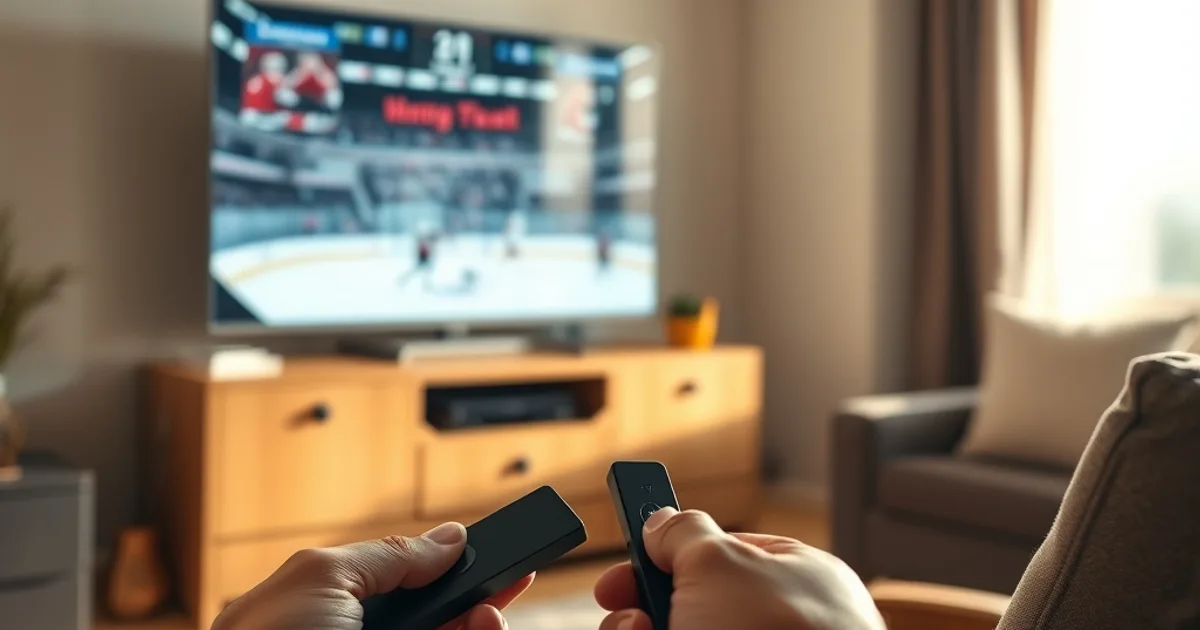
CFL games are already on the schedule, and the NHL preseason opens September 19, 2026, with the regular season kicking off September 29 — which means the next few weeks are exactly when most Canadians decide whether their IPTV setup can actually handle live sports. If you're testing a free trial and don't want to spend real money on hardware before you know it works, Roku is the device most people reach for. It's cheap, it's everywhere in Canadian living rooms and bedrooms, and it's simple enough that a trial doesn't turn into a tech project.
But Roku isn't a Firestick with a different remote. It's a closed platform with its own rules about app installation, and those rules directly affect how you should run a free trial on it. This guide covers picking the right Roku model for a short test, getting your trial installed and signed in, and — since the whole point of a trial is watching it survive real conditions — how to stress-test it during an actual CFL or NHL broadcast without the stream falling apart.
If you haven't picked a device yet, our comparison of the main IPTV apps (Smarters vs TiviMate) is worth reading first: /blog/iptv-app-comparison-canada-smarters-tivimate. This article assumes you've already got — or are about to get — a Roku in hand.
Why Roku Is Perfect for Your IPTV Free Trial
The case for Roku during a trial comes down to three things: price, pressure, and placement. Price first — a Roku streaming stick is one of the cheapest ways into 4K streaming in Canada, roughly in the range of a couple of takeout orders. That matters because a trial is, by definition, a test. You shouldn't need to commit to a $150+ streaming box just to find out if a service's stream holds up during a hockey game.
No contract pressure is the second piece. Roku doesn't ask you to sign into a Google or Amazon ecosystem the way a Fire TV or Chromecast nudges you toward their video services. It's a neutral box that plays whatever app you put on it, which makes it a genuinely fair place to judge an IPTV trial on its own merits rather than fighting the platform's own recommendations.
Third is the secondary-TV strategy. Most Canadian households don't want to touch the main living-room setup to run a test. A Roku stick in the bedroom or basement TV lets you run your free trial in parallel with whatever's already playing downstairs — which, as we'll get to, also lets you test something competitors' guides skip entirely: how many screens can actually stream at once during your trial window.
Not sure if your Roku setup can handle live sports? Ask us before you buy anything.
Which Roku Models Work Best for Free Trials in 2026
Roku's current lineup ranges from the entry-level Roku Express to the pricier Roku Ultra, but for a trial you don't need the top of the range. The Roku Express 4K and the Roku Streaming Stick 4K are the two models that make sense for testing: both output 4K/HDR, both connect over WiFi (no ethernet needed for a quick test), and both are priced as the budget option in Roku's own lineup — around $40 CAD depending on the retailer and current sales.
The difference between them is mostly form factor and WiFi radio strength. The Express 4K sits next to the TV with its own small remote and tends to hold a slightly steadier connection in rooms further from the router, because it isn't fighting the TV's HDMI port for antenna space. The Streaming Stick 4K plugs directly into the HDMI port and is more portable — useful if you want to move the same device between TVs during a multi-day trial rather than buying two.
Skip the Roku Ultra unless you already own one. Its extras (ethernet port, lost-remote finder, faster processor) don't change whether an IPTV stream buffers — that's almost entirely a network and app question, not a hardware one. Save the money and put it toward a better router or a wired connection instead, which will matter far more during a live game.
System Requirements: Internet Speed, WiFi, and Storage for Trials
IPTV doesn't need much storage — the app itself is small, and nothing is downloaded to the device. What it needs is a stable, sufficient internet connection reaching the Roku, and this is where most bad trial experiences actually start. A single HD stream needs a modest amount of sustained bandwidth; 4K content needs considerably more, and if you're testing simultaneous streams on multiple TVs, those numbers stack.
WiFi placement matters more on Roku than people expect, because the Express 4K and Streaming Stick 4K both use compact internal antennas. A Roku two rooms away from the router, especially through drywall and floors typical of Canadian homes, is a common cause of buffering that has nothing to do with the IPTV service itself. If your trial stutters, testing the same stream on a device sitting next to the router is the fastest way to separate a WiFi problem from a service problem.
Before you even open the app, it's worth checking your connection against what peak-hour usage looks like in your neighbourhood — ISPs commonly slow down streaming traffic during evening hours, which is exactly when CFL and NHL games air. We cover how to spot that specifically: /blog/detect-isp-throttling-iptv-free-trial-canada-peak-hours.
IPTV Apps on Roku: The Closed Ecosystem and What It Means for Trials
This is the part general Roku tutorials gloss over. Unlike Android-based devices such as Firestick or Android TV boxes, Roku doesn't allow sideloading apps from outside its official channel store. You can't just download an APK and install it — Roku's OS doesn't support that path at all. This is precisely why IPTV apps show up on Roku differently than on other devices.
In practice, this means your provider will point you either to a Roku channel available in the store, or to a player app that connects to your provider's servers using login credentials or a portal link, rather than a locally installed third-party APK. Your provider's onboarding instructions during your trial will tell you exactly which route applies — follow those instead of general internet advice, since app availability changes and varies by provider.
The upside of Roku's closed model is stability: because everything running on the device went through Roku's channel review, you're less likely to hit the app crashes or weird permission issues that sometimes show up on more open Android boxes. The trade-off is less flexibility if your specific provider's app isn't available as a Roku channel — worth confirming before you commit your trial window to this device over a Firestick.
Step-by-Step: Installing Your Free Trial and Signing In on Roku
Start with the basics: make sure your Roku is on the latest software version (Settings > System > System update) before installing anything — outdated firmware is a frequent, invisible cause of app instability. Connect to WiFi and confirm the connection with a quick speed check from the Roku's built-in network settings.
From there, add the channel or app your provider directs you to through the Roku Channel Store search, or follow the specific portal/activation-code flow they send you — this varies by provider, so lean on the instructions you receive rather than generic steps. Once installed, open the app and sign in with the credentials or activation code provided for your trial.
Give the app a minute after first sign-in before pressing play — Roku apps typically pull down the channel list or EPG (electronic program guide) in the background, and starting a stream mid-sync is a common reason a first test looks worse than it actually is. If the guide looks empty or incomplete, back out and reopen the app rather than assuming something's broken.
Your First Game: Testing CFL or NHL During Your 24-Hour Trial
A trial only tells you something useful if you test it under real conditions — which means during an actual live broadcast, not a pre-recorded channel at 2pm on a Tuesday. With the CFL season already underway and NHL preseason running September 19–26, 2026 ahead of the September 29 regular-season start, you have a genuine live-sports window to put a trial through its paces rather than guessing from an on-demand clip.
Time your test for peak viewing hours — typically the evening broadcast window when a large share of the country is streaming simultaneously. This is deliberately the hardest condition for any IPTV service, and it's the condition that actually matters, since nobody signs up for IPTV to watch weekday afternoon reruns.
For a structured way to judge what you're seeing — resolution stability, how the stream recovers after a dropped frame, audio sync during fast plays — we've built out a dedicated framework here: /blog/test-iptv-free-trial-sports-quality-cfl-hockey. Use it alongside this guide rather than eyeballing it; 'looked fine for ten minutes' isn't the same as verified.
Simultaneous Streams: How Many Devices Can You Actually Test?
This is the question competitors' Roku guides skip entirely, and it matters most for the secondary-TV strategy this whole article is built around. IPTV plans (trial or paid) restrict how many streams can run at once under the same login — this is a connection limit set by your provider's plan, not a Roku limitation, and it's worth confirming directly with whoever issued your trial before you assume you can run it on two TVs at once.
If you're testing specifically to see whether the whole household can watch different things during game night — one TV on the NHL broadcast, another on CFL, a phone checking stats — that's the exact scenario to test deliberately during your trial rather than discovering the limit mid-season after you've paid. Open the same login on a second Roku or a phone app and see what actually happens: a graceful 'stream limit reached' message is very different from both streams degrading in quality simultaneously.
If simultaneous streaming across a Firestick, a Smart TV, and a Roku all in the same house is your actual goal, our setup comparison across those three device types is the next read: /blog/iptv-free-trial-firestick-smart-tv-canadian-setup.
Ready to move past testing and lock in reliable streaming for the season?
Common Roku Buffering Issues During Peak Sports Hours (Plus Quick Fixes)
The single most common Roku-specific buffering cause is WiFi signal strength, not the IPTV service. Roku sticks plugged directly into an HDMI port sit close to the TV's own electronics, which can create interference; if you're seeing repeated buffering, try the Express 4K's separate remote-antenna design instead, or add a WiFi extender near the TV.
The second most common cause is peak-hour network congestion — either your home network being shared across multiple devices during the game (someone else streaming Netflix in 4K on another TV) or your ISP throttling video traffic during high-demand evening windows. Pausing other bandwidth-heavy devices during your test isolates which one it is.
Third, Roku's own cache can go stale after extended use. If a stream that worked fine the day before suddenly stutters, go to Settings > System > Advanced system settings > Factory reset channels (this resets Roku's channel cache, not your whole device) or simply remove and reinstall the IPTV app. This clears a surprisingly large share of one-off playback glitches.
If none of that resolves it and buffering is consistent regardless of time of day or device, that points to something upstream of your Roku entirely. Before assuming the provider is at fault, run through the safety and legitimacy checklist for the service you're testing — some issues trace back to the provider's own capacity, not your setup: /blog/iptv-free-trial-legal-canada-safety-guide.
Frequently asked questions
Can I sideload an IPTV APK directly onto a Roku like I would on a Firestick?
No. Roku's operating system doesn't support sideloading apps outside its official Channel Store, unlike Android-based devices such as Firestick or Android TV boxes. Your provider will point you to either a Roku channel or a player app with login-based access — follow their specific instructions rather than Firestick-style sideloading guides, which don't apply to Roku.
Is the Roku Express 4K or Roku Streaming Stick 4K better for a short IPTV trial?
Both are capable for a trial. The Express 4K tends to hold a steadier WiFi connection in rooms further from the router since its remote antenna isn't crowded next to the TV's HDMI electronics. The Streaming Stick 4K is more portable if you want to move it between TVs during your test. Either is a reasonable, low-cost choice — the Roku Ultra isn't necessary for testing a trial.
How many devices can stream at once during an IPTV free trial?
That depends on the connection limit set by your specific provider's plan, not on Roku itself. Confirm the simultaneous-stream allowance directly with whoever issued your trial, then test it deliberately — open the login on a second device and watch what actually happens rather than assuming.
Why does my Roku IPTV stream buffer during evening games but not during the day?
Evening hours are peak network-usage time — both for your home WiFi (more devices active) and potentially for your ISP, which may slow certain video traffic during high-demand windows. Test with other household devices paused first, and if the pattern persists specifically at peak hours regardless of what's running, it may be ISP-side throttling rather than a Roku or WiFi issue.
Do I need to buy the most expensive Roku for IPTV to work well?
No. Stream quality on IPTV is driven almost entirely by your network connection and the provider's servers, not by the Roku model's processing power. The budget Express 4K or Streaming Stick 4K handles IPTV just as well as the Roku Ultra for this purpose — put any extra budget toward your router or a wired connection instead.
When is the best time to test an IPTV trial around hockey season in Canada?
With NHL preseason running September 19–26, 2026 and the regular season opening September 29, 2026, testing during an actual preseason broadcast in the evening peak window gives you a realistic read before the season fully ramps up — better than testing on daytime or off-season content.