Test Multiple Devices During Your IPTV Free Trial
August 10, 2026 · 8 min read
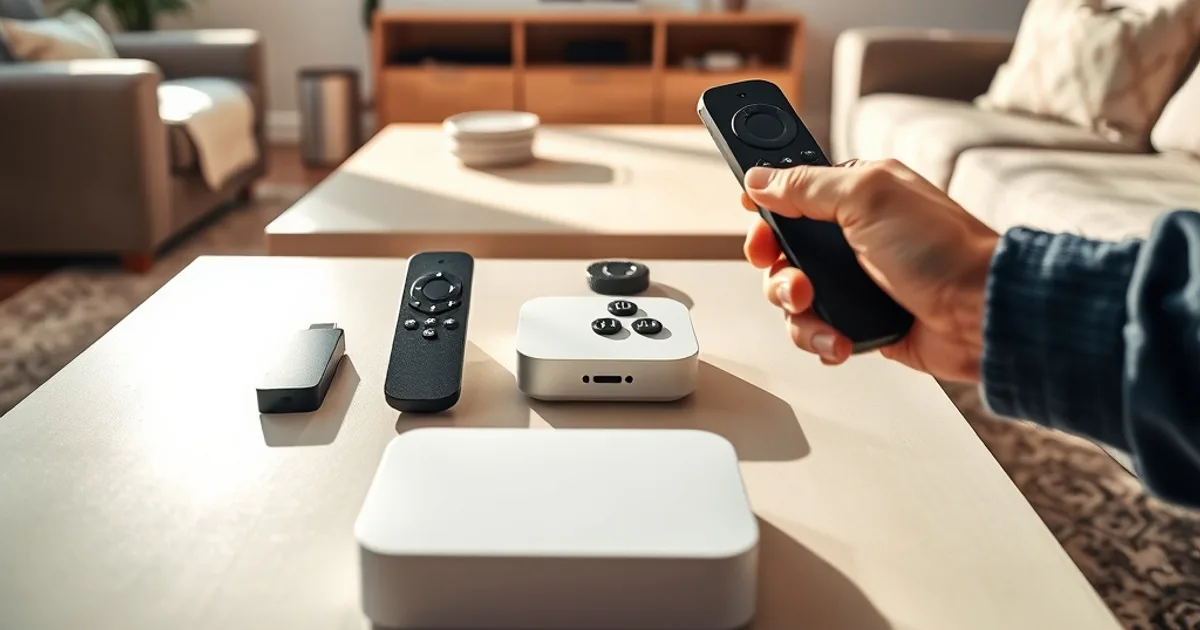
Most people treat an IPTV free trial as a test of the channel lineup: does the sports package load, does the picture hold up, is the price worth it. That's only half the test. The other half — the one almost nobody runs — is figuring out which device in your house should actually be running the service long-term. Firestick, Roku, Apple TV, and your smart TV's built-in app all handle IPTV differently, and the differences show up fast once you start streaming on them.
CFL season is in full swing from mid-August through October 2026, which makes this a genuinely useful window to run the comparison for real. Live sports punishes weak setups in a way that video-on-demand never does — a stream that looks fine on a highlight reel can stutter, buffer, or drop entirely during a live broadcast. If you're going to test hardware, test it against a live game, not a menu screen.
This guide walks through each major device platform during a trial window, what to actually watch for on each one, and how to use a short CFL broadcast as your real-world benchmark before you commit to buying anything.
Why Device Choice Matters More Than You Think During a Trial
It's easy to assume any streaming device will run any IPTV app roughly the same way. It won't. The app store policies, processor power, and network handling differ enough between Firestick, Roku, Apple TV, and smart TV operating systems that the same subscription can feel completely different depending on what it's playing on.
This matters most during a trial because a trial is short. You don't have weeks to slowly discover that your device was the weak link — you have a day or two to figure out whether a buffering issue is your internet, your app configuration, or the hardware itself. Testing on more than one device during the trial isolates the variable. If a stream stutters on Roku but runs clean on Firestick with the same Wi-Fi and the same channel, you've just learned something no channel-list comparison would have told you.
It also changes your buying decision. A lot of people default to whatever device they already own, then get frustrated months later when performance never quite matches what they expected. Using the trial to actually compare hardware turns that decision from a guess into a tested choice.
Not sure which device will handle IPTV best in your home?
Firestick: Fastest Setup, Most Apps (The Easy Win)
Amazon's Fire TV Stick is usually the fastest device to get an IPTV trial running on, and there's a structural reason for that: Amazon's app store is comparatively open to third-party player apps like IPTV Smarters Pro and TiVimate, both of which install directly without side-loading tricks on most Fire OS versions.
For a trial test, that speed matters. You want to spend your limited trial time watching streams, not troubleshooting installation. Firestick also benefits from a large, mature player-app ecosystem — if one app's interface doesn't suit you, there are several alternatives worth trying in the same session, which is harder to do on more locked-down platforms.
The tradeoff is processing power on the base-model stick, which can lag on heavy program guides or high-bitrate 4K streams. If your trial includes a 4K test, do it on a Fire TV Stick 4K or 4K Max rather than the entry-level model — the difference in smoothness is noticeable, especially during a fast-moving live sports broadcast.
We cover the exact install steps for Fire TV and smart TVs in our companion setup guide: /blog/iptv-free-trial-firestick-smart-tv-canadian-setup.
Roku: The Limitation You'll Hit & How to Work Around It
Roku is the device most people hit a wall with, and it's worth knowing why before your trial starts rather than during it. Roku's app store (the Channel Store) is tightly curated and generally does not carry dedicated IPTV player apps the way Amazon's and Google's stores do. That's a deliberate platform policy, not a bug.
The practical workaround during a trial is usually one of two paths: casting from a phone or tablet running the provider's app to the Roku via screen mirroring, or using a web-based player through Roku's browser-adjacent channels where supported. Neither is as clean as a native app, and both introduce an extra device into the chain, which is itself useful information — it tells you whether Roku is a viable long-term option for your household or just a backup screen.
If your household already owns a Roku and you don't want to buy new hardware, it's worth testing this workaround specifically during a live CFL game rather than a recorded show. Casting adds latency and occasional frame drops that are far more noticeable during live play-by-play than during on-demand content, so a live test gives you an honest read on whether the workaround is actually livable.
Apple TV: Premium 4K, But Is It Worth Testing During Trial?
Apple TV consistently delivers the smoothest 4K playback of the mainstream streaming boxes, thanks to a combination of strong hardware and Apple's tight control over how apps handle video decoding. If your household already has an Apple TV under the television, it's worth including in your trial comparison purely as a performance ceiling — it shows you what the stream looks like when the device isn't the bottleneck.
The catch is cost. Apple TV is the most expensive of the mainstream options, and buying one solely to run IPTV is a harder case to make than testing one you already own. If you don't already have an Apple TV in the house, it's reasonable to skip buying one for this specific purpose and instead compare Firestick 4K against your smart TV's native app — the gap there is usually smaller than people expect.
One detail worth checking during the trial: player-app availability on tvOS can lag behind Fire OS and Android TV, since Apple's review process is stricter. Confirm your preferred IPTV player app is actually available on the Apple App Store before assuming Apple TV is in the running.
Smart TV Apps: Built-in Option (Don't Assume It Works)
Using your TV's built-in smart platform — Samsung Tizen, LG webOS, Android TV/Google TV, or Roku TV — is the most tempting option because it means no extra hardware and one less remote. It's also the most inconsistent option across the network, because "smart TV" isn't one platform, it's at least four different ecosystems with different app stores and different rules.
Android TV and Google TV sets behave close to a Firestick, since they share a similar app-store model. Samsung and LG's own operating systems are more restrictive and, like Roku, often lack dedicated IPTV player apps in their official stores, pushing you toward the same casting or browser-based workarounds.
Before you assume your smart TV will just work, check two things during the trial: whether a proper IPTV player app is available in your TV's own app store, and how many years old your TV is. A smart TV bought more than three or four years ago often has a processor too weak to reliably decode HD or 4K IPTV streams, regardless of app availability — that shows up as pixelation and freezing that has nothing to do with your subscription.
Test Strategy: What to Watch & When During Your Trial
A short trial window is enough time to run a structured comparison if you plan it rather than just browsing channels at random. Start with setup time: note how long it takes from opening the app store to a working first stream on each device you're testing. That alone eliminates devices that are more hassle than they're worth for your household.
Next, watch for buffering and load time when switching channels — this is where weaker processors and casting workarounds show their weaknesses fastest. A device that plays a single channel fine for ten minutes can still struggle with the channel-switching speed that live sports viewing demands, especially if you're flipping to check a score on another game.
Finally, test picture stability during motion-heavy content specifically, not just static scenes. Fast camera pans and quick motion are the hardest thing for a weak connection or underpowered device to render cleanly, which is exactly why live sports is the best stress test available — see our dedicated breakdown at /blog/test-iptv-free-trial-sports-quality-cfl-hockey for what to look for during a sports-specific quality check.
Keep a simple mental scorecard as you go: setup time, channel-switch speed, and motion stability on each device. By the end of the trial you'll have an actual comparison instead of a vague impression.
Streaming CFL Games Across Devices: Which Performs Best?
With CFL season running through mid-August into October 2026, you have a natural, repeating live-sports test case available for the entire length of most trial periods. Live football broadcasts are demanding in a specific way: constant camera motion, fast cuts between angles, and viewers who notice a stutter immediately because it interrupts a play.
Run the same live game across your available devices back to back if you can, or at minimum across two. In general, Firestick 4K and Android/Google TV devices handle live sports motion well because of stronger native app support and decent processing power. Roku and older smart TVs are where casting workarounds and weaker hardware tend to show cracks — dropped frames during fast plays, audio drifting slightly out of sync, or a noticeably longer delay behind live action.
That delay, often called latency, matters more for live sports than any other content type. A few extra seconds of lag is invisible on a recorded show and very noticeable when a neighbor's cheer reaches you before the touchdown does on your screen. If you only have time to test one thing per device, test latency during a live CFL broadcast — it tells you more about real-world usability than any spec sheet.
Found your winning device? Lock in the plan that matches your setup.
Make Your Decision: Rent, Borrow, or Buy Before the Trial Ends
You don't need to own every device to run this comparison. Borrowing a Firestick or Apple TV from a friend or family member for the trial window is common and completely reasonable — most people already have at least one spare streaming device sitting in a drawer. If you don't have access to a second device, testing your smart TV's built-in app against one borrowed box is still enough to make an informed call.
By the time your trial ends, you should have a clear answer to a simple question: which device gave you the fastest setup, the fewest interruptions, and the best experience during a live game. That answer is worth more than any spec comparison chart, because it's based on your actual internet connection, your actual living room, and your actual viewing habits.
Once you've settled on hardware, it's also worth reviewing how the player apps themselves compare feature-for-feature, since the app matters almost as much as the device it's running on — our full breakdown is at /blog/iptv-app-comparison-canada-smarters-tivimate. And before you commit to anything long-term, make sure you understand the legal landscape around IPTV in Canada at /blog/iptv-free-trial-legal-canada-safety-guide.
Frequently asked questions
Can I test IPTV on more than one device with a single trial account?
Most providers allow you to log into your trial on multiple devices, though not always at the exact same time on every plan. Check your specific trial's simultaneous-stream allowance, and if it only permits one active stream, simply log out on one device before testing the next.
Which device is best for testing 4K IPTV streams specifically?
Apple TV and the Fire TV Stick 4K/4K Max are generally the strongest performers for 4K decoding among mainstream streaming boxes. If you're testing 4K on a smart TV, results depend heavily on the TV's age and processor, so don't assume a newer-looking TV automatically handles 4K IPTV smoothly.
Why doesn't Roku have IPTV apps in its store?
Roku's Channel Store is more tightly curated than Amazon's or Google's app stores, and it generally doesn't list dedicated third-party IPTV player apps. Casting from a phone or tablet is the common workaround, though it adds an extra step and can introduce additional latency.
Is it worth buying a new device just for IPTV, or should I test what I already own first?
Test what you already own first. A free trial is exactly the low-cost opportunity to find out whether your existing hardware is good enough before spending money on a new streaming box or smart TV.
How do I know if buffering is my internet or my device?
Test the same channel at the same time on two different devices connected to the same network. If one device buffers and the other plays smoothly, the device is the bottleneck. If both struggle equally, the issue is more likely your internet connection or the source stream itself.