Documenting IPTV Setup Observations: A Home Office Baseline Guide
October 26, 2026 · 13 min read
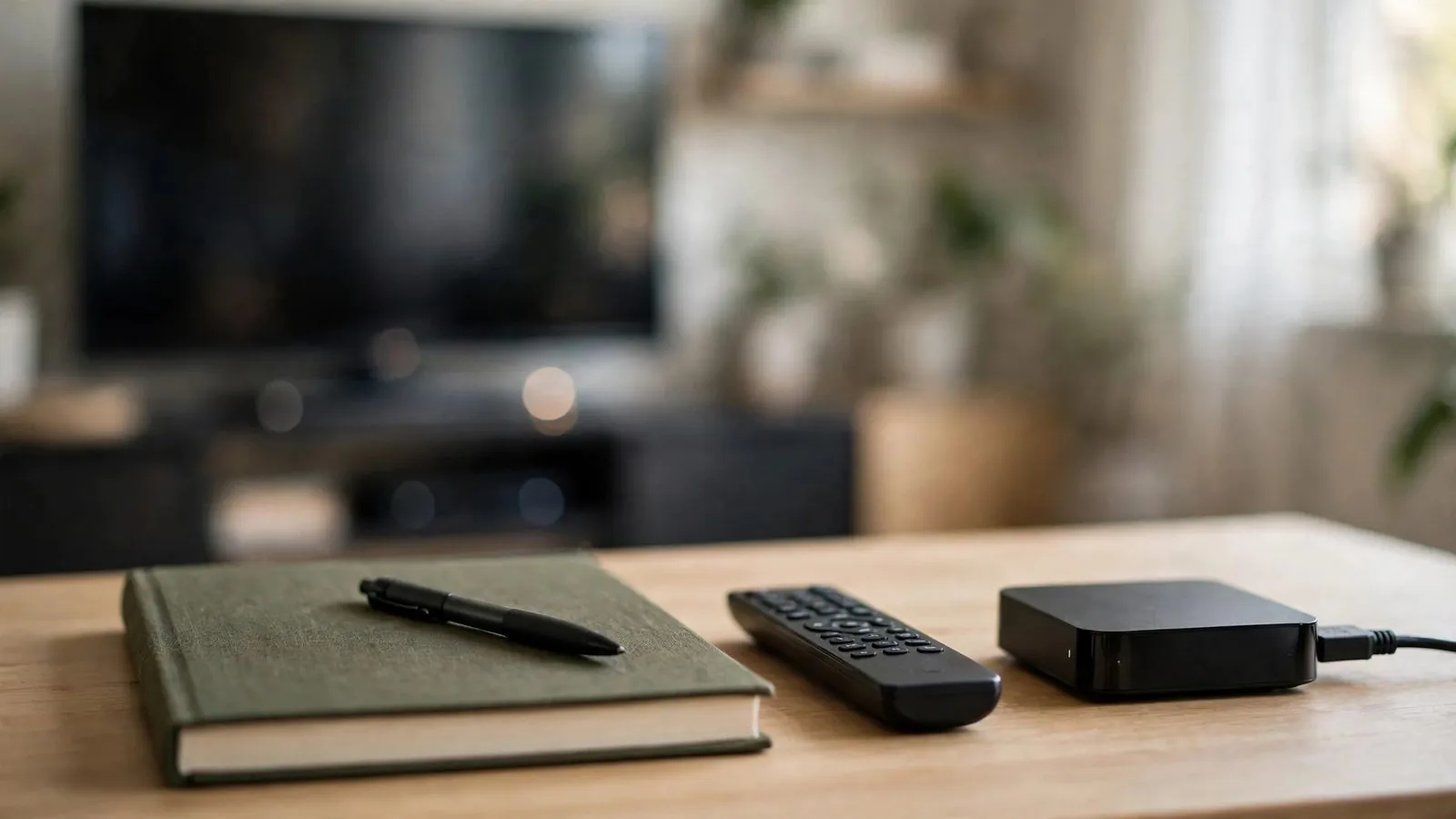
Adjusting a streaming setup often begins with a subtle frustration. A playback interface might feel slightly less responsive than usual, a video stream might exhibit brief frame drops, or audio synchronization might seem fractionally offset while watching at your desk. In the impulse to resolve these minor friction points, many users begin altering configuration settings immediately. They adjust video decoders, swap cables, tweak buffer parameters, and alter audio output modes in rapid succession. Within minutes, multiple variables change simultaneously. The original configuration is forgotten, making it impossible to determine whether any individual tweak actually improved the experience.
Stepping back into a quiet personal home office environment provides the structure needed to prevent this circular troubleshooting loop. Establishing a methodical baseline log before making any change to an IPTV viewing workflow replaces subjective impressions with verified records. When you document the exact operating state of your hardware, display connections, environmental factors, and interface behaviours, you establish an objective benchmark. This benchmark allows you to evaluate any future adjustment with precision. This guide explains how to build a personal observation journal from your desk, document critical environmental and technical variables, separate observable facts from causal assumptions, protect private credentials through strict redaction, and organize your findings before undertaking configuration changes.
Why Baseline Observation Prevents Setup Confusion
The primary pitfall when adjusting a personal entertainment or streaming configuration is variable compounding. In a home office, playback setups interact with secondary displays, docking stations, desktop audio routing, and computer peripherals. When a perceived irregularity occurs—such as interface sluggishness or minor audio desynchronization—reacting immediately by changing settings often introduces more problems than it resolves. Altering decoder options, swapping ports, and modifying buffer levels simultaneously destroys your reference point.
A baseline observation log provides an operational anchor. It systematically captures the system's state during routine operation before any deliberate changes occur. Recording exact parameters, such as display refresh rates, audio output paths, and menu navigation times, gives you an objective benchmark. If a future adjustment degrades picture stability or navigation, your baseline record provides a practical reference to help reconstruct the previous functional settings manually where supported. Taking structured notes also encourages a deliberate pause, preventing hasty interventions based on fleeting or environmental factors.
Establishing a Dedicated Observation Log in Your Personal Office
A disciplined observation routine requires a dedicated space and recording medium. The home office desk is the ideal environment for this activity because it separates analytical review from passive media viewing. At your desk, you have the physical space to maintain a notebook or local text file alongside your display without distraction.
Choosing between a physical paper notebook and a digital document depends on personal preference. A physical notebook keeps notes off network-connected storage and avoids clipboard exposure, though it still requires physical safeguarding so private details are not exposed. A local text or Markdown file offers rapid searchability and consistent templating when secured with appropriate device permissions. Whichever medium you choose, minimizing recorded data and safeguarding access are essential.
Every log entry should begin with standardized metadata. Record the local date and timestamp, noting your specific Canadian time zone or UTC offset (such as NST, AST, EST/EDT, CST/CDT, MST/MDT, or PST/PDT). Note the ambient room conditions, the display device under observation, and the duration of the logging session.
A reliable entry template captures five essential elements:
• Timestamp and Duration: Exact start and conclusion times of the observation window.
• Device and Route Mapping: Playback hardware, client software version, and connection path.
• User Actions: Concrete navigation paths tested (e.g., browsing categories, opening guide data).
• Verbatim Screen Text: Accurate transcription of error dialogues, status banners, or loading prompts, masking any embedded tokens or URLs.
• Workspace Environment: Ambient lighting, desk ventilation, and concurrent desktop applications.
Documenting Ambient Environment, Physical Connections, and Display Parameters
Documenting an IPTV setup requires cataloguing physical and environmental conditions alongside software settings. Home office workstations often feature intricate wiring involving multi-port hubs, monitor arms, and shared desktop switches. Failing to record physical cable routing can lead to confusion if cables are inadvertently shifted during cleaning or desk reorganization.
Begin by recording the physical display chain. Note which port on your secondary monitor or television receives the signal (such as HDMI 1, HDMI 2, or DisplayPort). If you use an adapter, docking station, or switch box, document the connection sequence. Visually inspect safely accessible connections without manipulating live cables, forcing tight connectors, or handling hot equipment.
Next, record available display parameters from your monitor's on-screen display (OSD) or operating system menus, noting that menu options vary by model. Where displayed, distinguish the monitor's native panel resolution from the active output resolution, refresh rate (such as 50Hz or 60Hz), aspect ratio, and colour profile. Operating system display scaling (such as 100%, 125%, or 150%) alters the visual size of interface elements; note this configured value accurately without assuming it dictates playback responsiveness.
Audio routing also requires precise recording. In a personal office, sound may pass through integrated monitor speakers, desktop speakers, an external USB DAC, or headphones. Record the active default output device, master volume level, and any active system equalizers.
Finally, log physical environmental conditions. Note ambient room temperature, ventilation clearance around playback hardware, and overhead lighting or window glare that affects screen contrast. Recording these variables provides essential context for perceived visual fatigue without resorting to unverified technical assumptions.
Recording Interface Behaviour, Navigation Flow, and Interaction Anomalies
Recording software behaviour requires specific, objective descriptions rather than generalized impressions. Notes like "the menu felt slow" provide little practical value when reviewed weeks later. Effective baseline documentation captures the exact sequence of user actions and the corresponding interface response.
When logging menu navigation, document your precise navigation path. For instance, record: "Application Home > Live Channels > Category List > Regional News." Measure the time elapsed between pressing an input key and the visible cursor movement using a stopwatch rather than guessing. If an electronic programme guide takes several seconds to load data, record the duration in seconds.
Observe visual transitions and playback initiation carefully. Document what appears during channel switching: does the screen show a black screen, a loading spinner, or a frozen frame before video appears? When playback starts, observe whether audio and video engage simultaneously or if one leads the other. Note the visual smoothness of on-screen graphics or scrolling tickers without speculating about underlying technical mechanisms.
If an anomaly occurs, transcribe the visible diagnostic wording accurately while redacting any embedded subscriber keys, usernames, or server paths. A message stating "Stream timed out waiting for manifest" provides entirely different diagnostic value than "Unable to connect." Record the specific wording, numeric error codes, the exact minute of occurrence, and whether the application recovered automatically or required a manual restart.
Practical Guidelines for Objective and Redacted Note-Taking
The core principle of baseline documentation is strictly separating observation from interpretation. An observation is a verifiable fact about what you witnessed or measured. An interpretation is an unproven assumption about why an event happened. Blurring these concepts fills your journal with speculation, leading to flawed troubleshooting decisions.
For instance, write: "At 19:42 EST, video playback paused for four seconds while audio continued; playback resumed normally after four seconds at 19:42." Do not write: "My internet provider throttled the connection" or "The server crashed." You cannot verify external network conditions or remote server performance from your home office desk. Restricting notes to observable phenomena keeps your records grounded and useful.
Equally important is personal data privacy and security. Streaming configurations and playlist entries often contain private account credentials, subscriber tokens, and hardware identifiers (such as MAC addresses). Storing unmasked credentials in unencrypted desktop notes presents serious security risks.
Maintain strict redaction standards across all physical and digital records. Never record raw account passwords, active session tokens, full playlist URLs, or equipment serials. Use consistent, fully sanitized redaction placeholders:
• Mask usernames: [USERNAME_REDACTED]
• Mask session tokens: [AUTH_TOKEN_REDACTED]
• Mask domain names and playlist queries: https://[DOMAIN_REDACTED]/stream/[TOKEN_REDACTED]
• Mask hardware identifiers: [MAC_ADDRESS_REDACTED]
Treat your observation notes as shareable technical documentation. Rigorous redaction safeguards your private information while maintaining complete structural utility.
Actionable Observation Checklist and Workflow Comparison
Follow this practical five-step checklist to systematically record your setup baseline before making any adjustments to your home office entertainment configuration.
Pre-Change Observation Checklist
• Workspace Preparation: Set up a dedicated notebook or local text file at your desk, confirm the current date and local Canadian time zone or UTC offset, and synchronize your clock.
• Physical and Environmental Check: Document the exact display port connection (e.g., HDMI 2), record any hubs or adapters, and note desk ventilation and ambient temperature.
• Display and Audio Baseline: Log native monitor resolution, refresh rate (e.g., 60Hz), display scaling percentage, and the active audio output device and volume.
• Interface and Navigation Logging: Time menu navigation response, document stream switching transitions, and transcribe visible error banners accurately while redacting any embedded tokens.
• Privacy and Redaction Review: Verify that all usernames, authentication tokens, playlist URLs, and MAC addresses are fully masked in your notes; keep any machine-readable configuration backups intact in secure private storage rather than editing them.
Qualitative Comparison: Memory Recall vs. Structured Logging
The table below contrasts informal memory recall with structured observation logging across key operational criteria.
Evaluation Dimension: Timestamp Precision · Informal Memory Recall: Approximate ("earlier tonight") · Structured Observation Logging: Exact time and local Canadian time zone or UTC offset recorded
Evaluation Dimension: Error Message Accuracy · Informal Memory Recall: Vague summary ("something failed") · Structured Observation Logging: Accurate transcription with embedded tokens and URLs masked
Evaluation Dimension: System Rollback Ability · Informal Memory Recall: Unreliable; prior settings forgotten · Structured Observation Logging: Documented reference to assist manual recreation of settings
Evaluation Dimension: Variable Isolation · Informal Memory Recall: Multiple simultaneous tweaks cause confusion · Structured Observation Logging: Individual changes evaluated against an unchanged reference
Evaluation Dimension: Privacy and Security · Informal Memory Recall: Credentials often pasted into raw files · Structured Observation Logging: Systematic redaction in shareable notes; intact private backups
Evaluation Dimension: Reproducibility · Informal Memory Recall: Low; difficult to verify true changes · Structured Observation Logging: Documented baseline to compare observable changes over time
Two Hypothetical Logging Scenarios in Personal Office Environments
The following two hypothetical scenarios illustrate how Canadian home office users can document their setups methodically. Both examples demonstrate practical observation notes with strict credential redaction.
Hypothetical Scenario 1: Dual-Monitor Desk in Ottawa
Alex manages a home office in Ottawa with a dual-monitor setup connected to a desktop computer and a secondary streaming box connected via HDMI 2. Before testing an alternative media client, Alex records a 30-minute baseline to document navigation responsiveness and audio behaviour.
```text === BASELINE OBSERVATION LOG === Date: 2026-10-25 | Time: 20:00 - 20:30 EDT Location: Home Office, Ottawa, ON Hardware: Secondary 27-inch 4K Monitor (HDMI 2) Playback Device: Desktop Media Unit (Firmware: 2026.4-prod) Audio Output: Desk Speakers via 3.5mm monitor jack (Volume 35%) Account Identifier: [REDACTED_USER_OTT] Playlist Source: https://[REDACTED_HOST]/live/[REDACTED_TOKEN].m3u8
[20:05 EDT] Environment: Room temp 21°C. Monitor OSD confirms 3840x2160 @ 60Hz, OS scaling 150%. [20:12 EDT] Navigation: Browsed 12 channel categories. Average cursor response latency: ~1.0 second per keypress. [20:19 EDT] EPG Loading: Grid view populated across 25 visible rows in 3.8 seconds. Typography crisp, no text overlap. [20:25 EDT] Stream Start: Selected local news. Black screen displayed for 2.4 seconds before video render. Audio synchronized with broadcast lip movement. [20:29 EDT] Status Notice: Dialogue displayed: "Profile: Standard (Buffer: 2500ms)". No warning prompts observed. [20:30 EDT] Summary: Baseline documented. Configuration stable for planned software evaluation. ================================ ```
Hypothetical Scenario 2: Compact Testing Desk in Calgary
Jordan maintains a dedicated testing desk in Calgary. Prior to reorganizing channel categories and group layouts in an application, Jordan records the baseline layout, channel switching speed, and display formatting.
```text === BASELINE OBSERVATION LOG === Date: 2026-10-26 | Time: 19:15 - 19:45 MDT Location: Personal Study, Calgary, AB Hardware: 24-inch 1080p Monitor via DisplayPort-to-HDMI adapter Playback Device: Compact Mini PC (OS: Stable 64-bit) Audio Output: Internal Monitor Speakers (Volume 40%) Playlist Reference: [LOCAL_STORAGE]/playlists/[REDACTED_PLAYLIST_ID].m3u Authentication Key: [AUTH_TOKEN_REDACTED]
[19:18 MDT] Display Parameters: Monitor OSD confirms 1920x1080 @ 60Hz. Desktop scaling 100%. Color preset: Neutral. [19:25 MDT] Category Layout: 38 default category folders listed. Rapid scrolling shows minor frame stutter between folders 15 and 19. [19:32 MDT] Channel Switching: Switched between 3 test channels. Average switch duration: 2.9 seconds. Audio begins 0.4 seconds prior to video frame render on Channel 2. [19:40 MDT] Error Dialogue: Selected inactive test channel 99. On-screen banner reads verbatim: "Stream unavailable: code 404 resource missing". Banner dismissed automatically after 4 seconds. [19:44 MDT] Backup & Storage: Saved intact configuration backup to encrypted local storage; sanitized human-readable notes. Baseline logged. ================================ ```
Moving Forward with Documented Baselines
Establishing an organized baseline transforms setup adjustments from an unpredictable gamble into a controlled, repeatable process. By documenting environmental conditions, physical connections, display parameters, and interface behaviours from your personal home office desk—while strictly redacting private credentials—you gain clearer visibility into your viewing environment. A verified baseline helps ensure that future configuration choices are deliberate, measurable, and easier to evaluate against known prior settings.
Ready to start your free trial?
Frequently asked questions
Why should I log observations before making changes rather than troubleshooting immediately?
Troubleshooting without documentation often leads to making multiple simultaneous adjustments, making it impossible to determine which tweak helped or hindered performance. Logging observations provides a reliable benchmark of your initial setup. This reference point lets you test individual variables systematically and provides a documented reference to help reconstruct previous settings manually if new changes degrade the viewing experience.
What is the safest way to store setup observation notes containing technical details?
Storage security depends on access control, physical security, and strict data minimization. Whether you keep a physical notebook at your desk or a local file on an encrypted drive, sensitive identifiers—including passwords, session tokens, complete playlist URLs, and MAC addresses—must be redacted. Never upload unmasked credentials to public paste sites, unencrypted cloud storage, or shared documents.
How long should an observation session last to establish a meaningful baseline?
The duration of an observation window should adapt to the frequency of the events you are tracking. A period of 20 to 40 minutes of active use often provides sufficient opportunity to observe menu responsiveness, guide loading, and stream transitions across several channels. For less frequent anomalies, logging brief observations across multiple sessions may be needed. Operating temperatures and hardware status should be checked conditionally according to manufacturer guidelines rather than assuming a fixed timeframe proves stability.
Should I use a physical notebook or a digital application for my observation log?
Both approaches have distinct merits. A physical notebook isolates notes from network-based exposure and prevents accidental clipboard pasting, though it requires physical safeguarding so private details are not exposed. A digital text file offers rapid searchability and structured templating when stored on secure local media. Either format works well, provided you practice careful data minimization and credential redaction.
How can I ensure my observation notes remain objective rather than speculative?
Record only what you can directly observe, measure, or transcribe. Note exact timestamps, timed durations, visible on-screen messages, and specific hardware settings. Refrain from guessing behind-the-scenes causes—such as server load or network throttling—since external infrastructure cannot be verified from a home office desk.